AI tools generate stunning logos as flat, uneditable pixel images. You can't scale them, edit them, print them professionally, or send them to a manufacturer.
We hand-trace your AI logo into a clean, layered, infinitely scalable vector file that works everywhere: business cards to billboards.
Starting at $50 · 24-hour delivery · Unlimited revisions
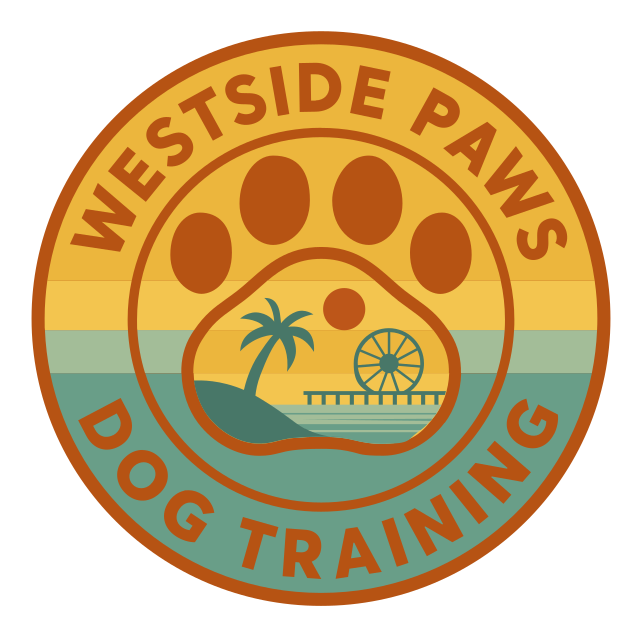

Every curve placed by hand in Adobe Illustrator. No auto-trace, no AI shortcuts. About 11 minutes of work, sped up 10×.
Client: Westside Paws · Adobe Illustrator · 10× speed

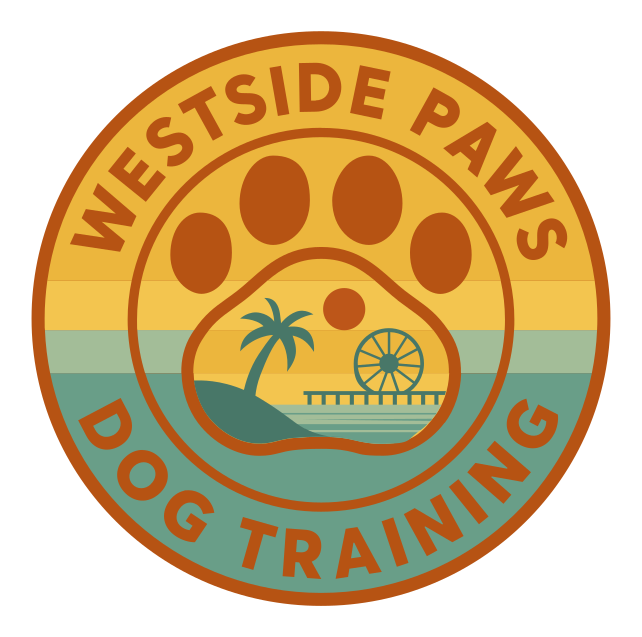
AI Generated
Textured, not scalable
VectorGurus
Professionally Redrawn
Primary Logo(1/6)
You typed a prompt into ChatGPT, Gemini, or DALL-E and got a beautiful logo. Then you tried to actually use it and hit a wall.
The gap between AI output and professional use is a vector file. That's exactly what we create. Not auto traced, but hand drawn by experienced designers.
No matter which AI generator you used, we convert the output into a professional vector. Here are the tools our customers use most:
OpenAI's image generator, GPT-integrated
Google's AI image generator
Discord-based, photorealistic & artistic styles
Excellent at text rendering in logos
Fine-tuned models, consistent branding

Adobe's AI, Creative Cloud integrated
Open-source, local & cloud

Template-based AI logo makers
Don't see your tool? It doesn't matter. If it outputs a PNG or JPG, we can convert it. The source tool is irrelevant; we work from the image.
“Just use Image Trace in Illustrator”... we hear this constantly. Here's why it doesn't work, especially for AI-generated images.
AI generators blend colors in ways that create hundreds of micro gradient zones. Auto trace produces files with 5,000+ anchor points for a simple logo.
The subtle noise and hallucination artifacts in AI output get traced into the vector as real shapes. That faint halo around your text becomes permanent.
The soft edges that make AI logos look smooth become dozens of semi transparent color bands when auto traced. The result looks like a topographic map.
AI generated text has subtle irregularities. Auto trace amplifies these into broken letterforms and inconsistent strokes. A designer recreates text properly.
Bottom line: Auto trace creates a technically vector file that's just as unusable as the original PNG. Professional hand tracing is the only way to get a truly production ready vector.
Whether you need to convert a ChatGPT logo to vector or clean up a Gemini design, our professional designers rebuild your AI logo from scratch. Not auto-traced, not filtered, not “enhanced.” Rebuilt.
Send us your ChatGPT, Gemini, DALL-E, or any AI-generated logo. PNG, JPG, WebP. Any format works. Tell us how you plan to use it (print, web, signage, merch) so we can optimize for your needs.
Your assigned designer examines the AI output in detail: identifying artifacts to remove, colors to match, text to recreate, and symmetries to correct. We plan the cleanest possible vector reconstruction.
Using the Pen tool, your designer places every anchor point by hand. Each curve is shaped with Bézier handles for mathematical perfection. AI artifacts are eliminated. Colors are separated onto clean layers. Text is recreated with proper typography.
We match every color to the original AI output (or improve it if requested). Each color, shape, and text element gets its own labeled layer. The file is organized for easy editing in any design application.
You receive a high-resolution preview for approval. Request unlimited revisions; we adjust until it's perfect. Final delivery includes SVG, AI, EPS, PDF, DXF, and a transparent PNG.
A vector logo unlocks every professional application. Your AI concept becomes a real brand asset.
Print crisp, sharp logos on business cards, letterheads, envelopes, and all branded materials.
Screen printing, DTG, heat transfer, and embroidery all require vector files for production.
Scale your logo to fit a storefront sign or fleet vehicle without any quality loss.
Vector paths are the native language of cutting machines. Engrave wood, metal, acrylic, and more.
SVG files load instantly, look razor-sharp on retina displays, and scale to any container.
Product packaging, sticker labels, and retail displays all require production-ready vector art.
Everything you need to use your AI logo professionally, included with every order.
SVG, AI, EPS, PDF, DXF + transparent PNG. Every format, no extra charge.
Not perfect? We adjust until you're completely satisfied. No limits, no fees.
Most AI logos delivered within 24 hours. Rush available for urgent projects.
Every color and element on labeled layers. Easy to edit in Illustrator, Inkscape, or Figma.
If you're not happy, we make it right or refund your payment. Zero risk.
Communicate directly with the designer handling your logo. No middlemen.
No subscriptions. No hidden fees. Pay per logo with all formats and unlimited revisions included.
Simple AI Logo
$50
1-3 colors, clean shapes
Detailed AI Logo
$75
4-6 colors, moderate detail
Complex AI Logo
$125
Many colors, gradients, detail
Highly Complex
Custom
Illustrations, fine detail
Not sure? Upload your AI logo and get an instant quote.
Get an Instant QuotePick as many as you like, it all comes back as one simple quote.
1 service selected
Vector files scale from favicon to billboard without losing a single detail. Zoom in. The edges stay razor-sharp.

Everything you need to know about converting AI-generated logos to professional vector files.
AI image generators like ChatGPT, Gemini, DALL-E, and Midjourney output raster images (PNG or JPG). These are grids of pixels that cannot be scaled without losing quality, cannot be color-separated for print, have no editable layers, and are rejected by print shops, embroidery services, sign makers, and manufacturers. Professional use requires vector files (SVG, AI, EPS) where the artwork is defined by mathematical paths that scale infinitely and can be edited in design software.
Auto-tracing tools like Adobe Image Trace, Vectorizer.ai, or other online converters analyze pixels and generate approximated paths. For AI-generated logos, this produces hundreds of unnecessary anchor points, jagged edges, color banding, embedded artifacts from the AI generation process, and messy geometry that is essentially unusable for production. The result looks close on screen but falls apart when printed, engraved, embroidered, or scaled. Professional hand-tracing rebuilds the logo from scratch with clean paths, organized layers, and proper geometry.
We convert logos from every AI image generator: ChatGPT, Gemini, DALL-E, Midjourney, Ideogram, Leonardo AI, Stable Diffusion, Adobe Firefly, Bing Image Creator, Canva AI, Looka, and any other tool that outputs raster images (PNG, JPG, WebP). The source tool does not matter. We work from the image itself.
Every order includes all major vector formats at no extra charge: SVG (for web and digital), AI (Adobe Illustrator, fully editable with layers), EPS (universal print format), PDF (vector PDF for sharing), and DXF (for CNC, laser cutting, and engraving). You also receive a high-resolution transparent PNG.
Most AI logo conversions are completed within 24 hours. Complex logos with many colors, gradients, or fine details may take up to 48 hours. You receive a preview for approval before final files are delivered. Rush delivery is available for urgent projects.
Pricing starts at $50 for simple AI logos (1-3 colors, clean shapes). More complex artwork with gradients, fine details, or many colors is quoted based on complexity. Every order includes unlimited revisions and all vector file formats. Upload your AI logo for an instant quote.
Yes. Our designers faithfully recreate your AI logo with precise color matching and shape accuracy. In many cases, the vector version actually looks better because we clean up artifacts, smooth rough edges, and fix asymmetries that AI generators often introduce. You approve a preview before we finalize, and revisions are unlimited.
Absolutely. That is the entire point of vector conversion. You can open the AI or SVG file in Adobe Illustrator, Inkscape, CorelDRAW, Affinity Designer, or Figma and change colors, resize elements, modify text, rearrange layers, and adapt the logo for any use case. Every element is on organized, labeled layers for easy editing.
Once vectorized, your AI logo works everywhere: business cards, letterheads, signage, vehicle wraps, merchandise (t-shirts, hats, mugs), embroidery, screen printing, laser engraving, CNC cutting, websites, social media, app icons, trade show displays, packaging, and any other application that requires a professional logo file.
Copyright law around AI-generated images is evolving. In general, you can use AI-generated logos commercially if you created them and your chosen AI tool's terms of service allow commercial use (Midjourney, DALL-E, and Ideogram all permit this with paid plans). However, AI-generated images themselves may not be copyrightable under current US law. Having a human designer hand-trace and recreate the logo adds a layer of human authorship. Consult a legal professional for your specific situation.
You spent time crafting the perfect prompt. Let us turn that AI output into a professional, production-ready vector that works everywhere your brand goes.
How AI vectorizers compare to professional hand-tracing, and when to use each.
Hand-traced cut files optimized for Cricut, Silhouette, and vinyl cutters.
Our full hand-traced vector conversion service for any image, not just AI logos.
AI Vectorizer — Free Preview
Convert PNG or JPG to SVG instantly with AI
ChatGPT Logo to Vector
Hand-traced vector redraws of ChatGPT logos
ChatGPT Brand Kit to Vector
Full brand boards rebuilt as real, editable vector files
Gemini Logo to Vector
Professional redraws of Google Gemini logos
Midjourney Logo to Vector
Clean vector versions of Midjourney artwork
AI Logo to Vector Series
7 real AI logos converted, shown side by side
Vectorize Any Image
Photos, sketches, and artwork rebuilt as vectors
Vectorize Your Logo
Print-ready vector conversion for your logo
Manual Vector Tracing
100% hand-traced, never auto-traced
Logo Editing
Color changes, text edits, and cleanup for vector logos
SVG for Cricut
Cut-ready SVG files for vinyl, HTV, and cardstock