Turn illustrations, sketches, photos, and production artwork into clean vectors that stay sharp at any size.
A professional designer redraws your artwork by hand in Adobe Illustrator, with files prepared for your quoted production use.
Starting at US$50 · First proof within 24 hours · Revisions to agreed artwork
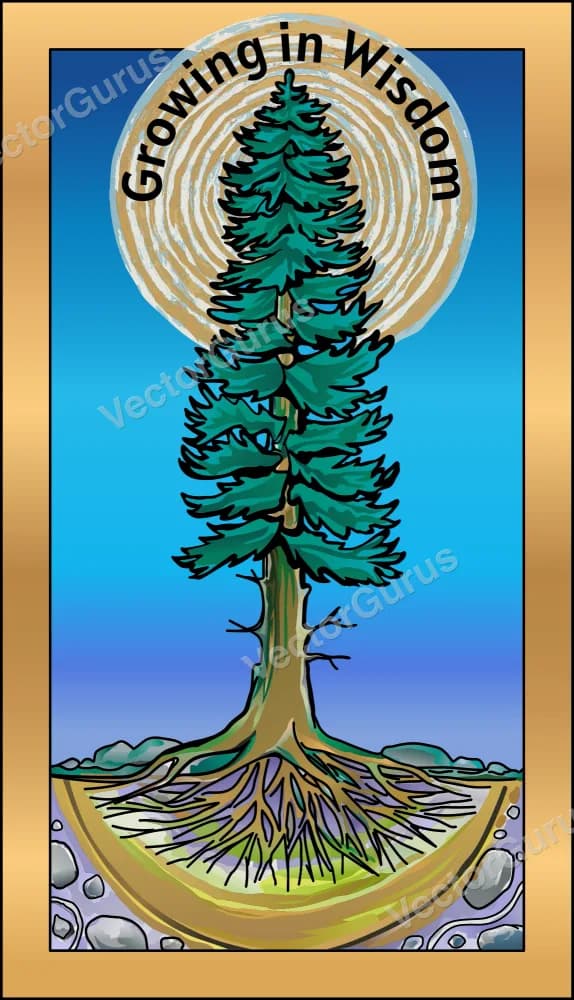
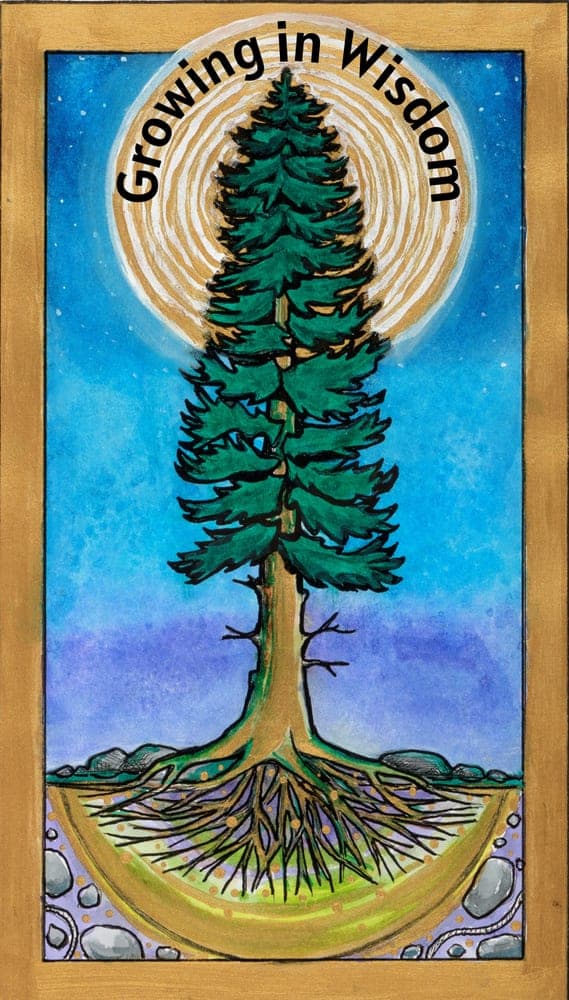
Every curve placed by hand in Adobe Illustrator. No auto-trace, no AI shortcuts. About 11 minutes of work, sped up 10×.
Client: Westside Paws · Adobe Illustrator · 10× speed
JPG, PNG, and other raster formats are made of pixels. They work fine on screen at their original size. But the moment you need to scale, print, cut, or engrave...
The gap between your image and professional production is a vector file. That's exactly what we create. Not auto traced, but hand drawn by experienced designers.
Illustrations, sketches, artwork, and graphics — if it has distinct shapes and colors, we can vectorize it.
Posters, print graphics, and creative assets
Digital art, drawings, characters
Sketches, doodles, pen & ink work
App icons, badges, emblems
Custom lettering, text designs
Repeating designs, surface patterns
Brand mascots, cartoon figures
Diagrams, schematics, plans
Have something unusual? If you can see distinct shapes and colors, we can convert it. Upload your image for a free assessment.
Free online converters and auto-trace tools promise quick results. Here's what they actually deliver.
Auto trace creates thousands of anchor points for simple shapes. A circle that should have 4 points ends up with 400. Files become bloated and uneditable.
What should be smooth curves become choppy approximations. The edges look fine at screen size but fall apart when printed, cut, or engraved.
Every compression artifact, every fuzzy edge, every color band gets traced into the vector as a real shape. Your clean image becomes a mess.
Auto trace dumps everything into one tangled mess. You cannot select individual elements, change colors, or make edits without rebuilding from scratch.
Bottom line: Auto trace creates a technically vector file that's just as unusable as the original raster. Professional hand tracing is the only way to get a truly production-ready vector.
Our professional designers rebuild your image from scratch. Not auto-traced, not filtered, not “enhanced.” Rebuilt.
Send us your image in any format: JPG, PNG, scan, screenshot, or whatever you have. The highest resolution you can find helps, but we work with whatever you have.
Your assigned designer examines your image in detail: identifying colors to match, shapes to perfect, and any artifacts to remove. We plan the cleanest possible vector reconstruction.
Using the Pen tool, your designer places every anchor point by hand. Each curve is shaped with Bezier handles for mathematical perfection. Compression artifacts are eliminated. Colors are separated onto clean layers.
We match every color to your original image (or improve it if requested). Each color, shape, and element gets its own labeled layer. The file is organized for easy editing in any design application.
You receive your first proof within 24 hours. Revisions to the original agreed artwork are included. Once approved, you receive AI, EPS, SVG, and PDF vector files plus PNG and JPG exports; linework-only DXF is supplied when quoted.
A vector file unlocks every professional production method. Your image works everywhere.
Business cards to billboards. Vector files scale infinitely without losing quality.
Screen printing, DTG, heat transfer, and embroidery all require vector files.
Trade show graphics, storefront signs, banners, and vehicle wraps.
Vinyl cutters, laser engravers, CNC routers — all need vector paths.
SVG files load fast, look sharp on retina displays, and scale to any screen.
Product packaging, sticker printing, and retail displays.
Everything you need to use your image professionally, included with every order.
AI, EPS, SVG, PDF, PNG, and JPG. Editable vector masters and high-resolution exports are included. Linework-only DXF is supplied when quoted.
Revisions to the original agreed artwork are included. New designs or scope changes are quoted separately.
Simple jobs may be fully delivered in that time; detailed artwork continues through review and revisions.
Every color and element on labeled layers. Easy to edit in Illustrator, Inkscape, or Figma.
Clean paths and files prepared for the production use stated in your quote.
Communicate directly with the designer handling your project. No middlemen.
No subscriptions or hidden fees. Pay per artwork, with editable vector files, high-resolution exports, and revisions to the agreed artwork included.
Simple Image
$50
1-3 colors, clean shapes
Detailed Image
$75
4-6 colors, moderate detail
Complex Image
$125
Many colors, gradients, detail
Highly Complex
Custom
Illustrations, fine detail
Not sure? Upload your artwork for a free quote, usually provided within minutes during service hours.
Get a Free QuoteVector files scale from favicon to billboard without losing a single detail. Zoom in. The edges stay razor-sharp.

Everything you need to know about converting images to vector format.
No. This is 100% manual, professional vector tracing. A human designer redraws your artwork from scratch using the Pen tool in Adobe Illustrator. Every anchor point is placed by hand, every curve is shaped deliberately, and the file goes through multiple levels of quality assurance before delivery. We also offer a separate automatic conversion tool at vectorgurus.com/studio that is much cheaper and works well for images that are already clean and simple. For artwork that needs to be precise, production-ready, and professionally organized, this manual service is the right choice.
Raster images (JPG, PNG, BMP) are made of pixels that blur when scaled. Vector files (SVG, AI, EPS) use mathematical paths that scale infinitely without quality loss. Print shops, sign makers, embroidery services, cutting machines, and manufacturers require vector files. Converting your image to vector unlocks professional production capabilities.
We convert illustrations, artwork, sketches, hand-drawn designs, stylized photographs, graphics, icons, badges, emblems, mascots, typography, patterns, and more. If it has distinct shapes and colors that can be represented as paths, we can vectorize it. Complex photographic images may require stylization. Company logos are handled through our dedicated logo vectorization service.
Auto-tracing tools create approximated paths with hundreds of unnecessary anchor points, jagged edges, color banding, and messy geometry. The result looks passable on screen but fails in production. Text becomes illegible, curves are bumpy, and the file is essentially unusable for printing, cutting, or engraving. Professional hand-tracing rebuilds your image with clean paths, proper geometry, and organized layers.
Every order includes editable AI, EPS, SVG, and PDF vector files, plus high-resolution PNG and JPG files, at no extra charge. If your quoted production use requires CAD linework, we can also prepare a linework-only DXF.
You receive your first proof within 24 hours. Simple jobs may be approved and delivered with all final files within that time; more detailed artwork continues through review and revisions after the first proof. Rush delivery may be available when agreed in advance.
Pricing starts at US$50 for simple artwork (1-3 colors, clean shapes). More complex illustrations with gradients, fine details, or many colors are quoted based on complexity. Your quote is free, carries no obligation, and is usually provided within minutes during service hours.
Our designers recreate your agreed artwork as faithfully as possible with careful color matching and accurate shapes. In many cases, the vector version looks better because we clean up compression artifacts, smooth rough edges, and fix imperfections. Revisions to the original agreed artwork are unlimited; new designs or changes in scope are not included.
Absolutely. That is the entire point of vector conversion. You can open the AI or SVG file in Adobe Illustrator, Inkscape, CorelDRAW, Affinity Designer, or Figma and change colors, resize elements, rearrange layers, and adapt the image for any use case. Every element is on organized, labeled layers for easy editing.
We work with whatever you have. Low-resolution JPGs, pixelated PNGs, scanned prints, even photos of physical artwork. Our designers interpret the original intent and recreate a clean, sharp vector. If details are unclear, we will ask for clarification or provide options.
Once vectorized, your image works everywhere: printing (any size), merchandise (t-shirts, hats, mugs), embroidery, screen printing, laser engraving, CNC cutting, vinyl cutting, signage, vehicle wraps, websites, apps, packaging, stickers, and any other application that requires scalable, production-ready artwork.
Turn a sketch, illustration, or raster artwork into a clean vector prepared for your intended production use.
AI Vectorizer — Free Preview
Convert PNG or JPG to SVG instantly with AI
AI Image to Vector
Turn any AI-generated image into clean vector art
ChatGPT Logo to Vector
Hand-traced vector redraws of ChatGPT logos
ChatGPT Brand Kit to Vector
Full brand boards rebuilt as real, editable vector files
Gemini Logo to Vector
Professional redraws of Google Gemini logos
Midjourney Logo to Vector
Clean vector versions of Midjourney artwork
AI Logo to Vector Series
7 real AI logos converted, shown side by side
Vectorize Your Logo
Print-ready vector conversion for your logo
Manual Vector Tracing
100% hand-traced, never auto-traced
Logo Editing
Color changes, text edits, and cleanup for vector logos
SVG for Cricut
Cut-ready SVG files for vinyl, HTV, and cardstock