AI Vectorizer — Convert PNG or JPG to SVG
Preview an automatic SVG conversion free in seconds. Pay $3 only if you download, or choose a professional hand redraw when production accuracy matters.
Drop your image here to vectorize it now
Free preview in seconds. PNG, JPG, or screenshot. $3 only when you download.
No signup to preview. Pay only for what you keep. $3 per download.
Need it perfect? A designer redraws it.
AI tracing has limits on fine text and detailed artwork. Our designers rebuild your logo curve by curve in Adobe Illustrator. You get layered AI, EPS, PDF, and SVG files that work everywhere, from business cards to billboards.
Starting at $50 · 24-hour delivery · Unlimited revisions
This Is What a Real Hand-Traced Redraw Looks Like
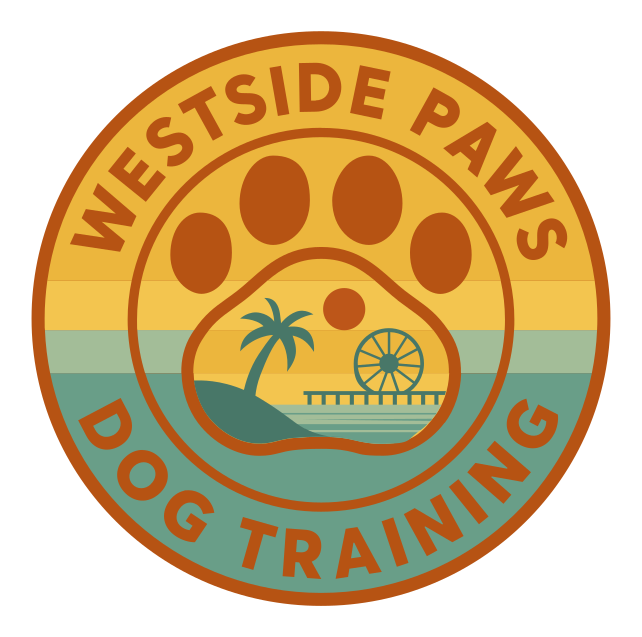
Every curve placed by hand in Adobe Illustrator. No auto-trace, no AI shortcuts. About 11 minutes of work, sped up 10×.
Client: Westside Paws · Adobe Illustrator · 10× speed
What you're watching
- Reference layer loaded with the original raster logo
- Pen tool outlines the primary silhouettes, every anchor point placed by hand
- Bezier curves refined so paths stay clean and smooth
- Color blocks applied to match the brand palette exactly
- Typography recreated as outlined vector shapes (no font dependency)
- Layers organized for delivery as SVG, AI, EPS, PDF, and transparent PNG
Why hand-tracing
- Auto-trace produces 5,000+ stray anchor points on a logo this size
- AI logos contain noise and anti-alias bands a tracer turns into shapes
- A redrawn logo scales infinitely without losing fidelity
- Final paths are editable: colors, layouts, and variants are trivial
- Clean paths cut correctly on vinyl, laser, and embroidery machines
- Same process applies to ChatGPT, Midjourney, DALL-E, and Gemini logos
The Problem With Every AI-Generated Logo
You typed a prompt into ChatGPT, Gemini, or DALL-E and got a beautiful logo. Then you tried to actually use it and hit a wall.
What AI Gives You
- A flat PNG that blurs when scaled
- No layers, can't change colors
- Artifacts and rough edges
- Rejected by print shops
What You Actually Need
- Scalable vector file
- Organized layers, editable
- Clean, smooth paths
- Accepted everywhere
The gap between AI output and professional use is a vector file. That's exactly what we create. Not auto traced, but hand drawn by experienced designers.
Turn Your AI Logo Into a Professional Brand
AI-generated logos are a great starting point, but they need expert cleanup to look polished and work across all applications.

AI Generated
Textured, not scalable
VectorGurus
Professionally Redrawn
Primary Logo(1/6)
Select what you need:
Pick as many as you like, it all comes back as one simple quote.
1 service selected
Works with logos from ChatGPT, Gemini, DALL-E, Midjourney, and other AI tools
We Redraw Logos From Every AI Tool
No matter which AI generator you used, we convert the output into a professional vector.
ChatGPT / DALL-E
OpenAI image generator
Gemini
Google AI image generator
Midjourney
Discord-based, artistic styles
Ideogram
Excellent text in logos
Leonardo AI
Fine-tuned models
Stable Diffusion
Open-source generation
Adobe Firefly
Creative Cloud integrated
Canva AI / Looka
Template-based makers
Why Auto-Tracing Fails for AI Logos
“Just use Image Trace in Illustrator” is common advice. Here's why it doesn't work for AI generated images.
AI Images Have Subtle Gradients
AI generators blend colors in ways that create hundreds of micro gradient zones. Auto trace produces files with 5,000+ anchor points for a simple logo.
AI Artifacts Become Permanent
The subtle noise and hallucination artifacts in AI output get traced into the vector as real shapes. That faint halo around your text becomes permanent.
Anti Aliased Edges Create Noise
The soft edges that make AI logos look smooth become dozens of semi transparent color bands when auto traced. The result looks like a topographic map.
Text Becomes Unreadable
AI generated text has subtle irregularities. Auto trace amplifies these into broken letterforms and inconsistent strokes. A designer recreates text properly.
Bottom line: Auto trace creates a technically vector file that's just as unusable as the original PNG. Having your image manually redrawn by a designer is the only way to get a truly production ready vector.
What You Receive
Everything you need to use your AI logo professionally, included with every order.
All Vector Formats
SVG, AI, EPS, PDF + transparent PNG. Every format, no extra charge.
Unlimited Revisions
Not perfect? We adjust until you're completely satisfied. No limits.
12-Hour Delivery
Most AI logos delivered within 24 hours. Rush available.
Hand-Drawn Paths
Every curve placed by hand with the Pen tool. Clean, professional geometry.
Satisfaction Guarantee
If you're not happy, we make it right or refund your payment.
Direct Designer Access
Communicate directly with the designer handling your logo.
Infinite Scalability
AI logos are flat pixel images. Zoom in and they fall apart. Our hand-traced vectors stay crisp at any size, from favicon to billboard.

Frequently Asked Questions
Is the AI vectorizer free to try?
Yes. You can upload an image and preview the vectorized result for free without signing up. If you want to keep the result, the SVG download costs $3.
What image formats can I upload?
You can upload common raster image formats such as PNG and JPG. Clean images with clear edges, flat colors, and good contrast produce the strongest automatic vector results.
What file format does the AI vectorizer create?
The AI vectorizer creates a scalable SVG file. SVG can be resized without pixelation and edited in applications such as Adobe Illustrator, Inkscape, Affinity Designer, and Figma.
How quickly will I see the result?
The automated preview is normally generated in seconds. You can compare it with your original image before deciding whether to purchase the SVG download.
When should I choose manual vector tracing instead?
Choose professional manual tracing when the artwork is low resolution, highly detailed, brand critical, or must meet print, embroidery, engraving, signage, or cutting-machine requirements. A designer rebuilds those files by hand in Adobe Illustrator.
Can I vectorize an AI-generated logo?
Yes. You can upload a logo created with ChatGPT, DALL-E, Midjourney, Gemini, or another image generator. Simple, clean artwork may convert well automatically; complex or imperfect logos can be sent to our manual redraw service.
More Tools in VectorGurus Studio
Move from one step to the next without leaving your workspace.
Text to SVG
Generate editable vector illustrations from a prompt.
AI Logo Generator
Create and refine original logo concepts.
Mockup Generator
Place your artwork on photorealistic products.
AI Photo Styles
Turn photos into cartoons, paintings, and more.
Background Remover
Create a clean transparent PNG in seconds.
AI Image Upscaler
Enlarge and enhance images by 2x, 4x, or 6x.
Ready to Make Your AI Logo Professional?
Join 3,000+ customers who trust VectorGurus to transform their AI logos into production ready vectors
Related Services
AI Image to Vector
Turn any AI-generated image into clean vector art
ChatGPT Logo to Vector
Hand-traced vector redraws of ChatGPT logos
ChatGPT Brand Kit to Vector
Full brand boards rebuilt as real, editable vector files
Gemini Logo to Vector
Professional redraws of Google Gemini logos
Midjourney Logo to Vector
Clean vector versions of Midjourney artwork
AI Logo to Vector Series
7 real AI logos converted, shown side by side
Vectorize Any Image
Photos, sketches, and artwork rebuilt as vectors
Vectorize Your Logo
Print-ready vector conversion for your logo
Manual Vector Tracing
100% hand-traced, never auto-traced
Logo Editing
Color changes, text edits, and cleanup for vector logos
SVG for Cricut
Cut-ready SVG files for vinyl, HTV, and cardstock