Midjourney creates stunning logos as raster images. But you can't scale them for print, edit them, or use them professionally.
We hand-trace your Midjourney logo into a clean, layered vector file. No more pixelation, no more artifacts.
Starting at $50 · 24-hour delivery · Unlimited revisions
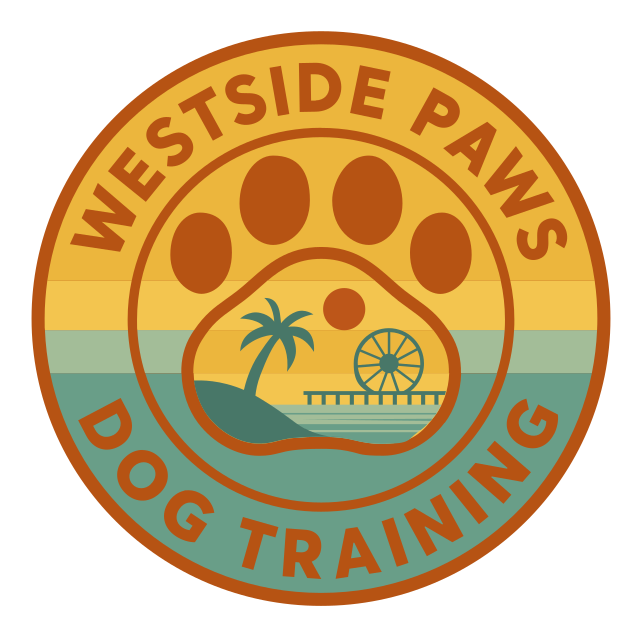

Every curve placed by hand in Adobe Illustrator. No auto-trace, no AI shortcuts. About 11 minutes of work, sped up 10×.
Client: Westside Paws · Adobe Illustrator · 10× speed
You crafted the perfect prompt in Midjourney and got an amazing logo. Then you tried to use it for your business and hit roadblocks.
Auto-trace tools choke on Midjourney logos for three specific reasons. This is why the SVG from a converter looks nothing like your logo.
Midjourney adds film grain, embossing, soft glows, and painterly shading even when you did not ask for them. An auto-tracer converts every speck of that texture into its own tiny shape, producing thousands of broken paths instead of the dozen clean shapes your logo actually contains.
Prompting for flat vector style or a minimal logo changes how the image looks, not what it is. The download is always a PNG or JPG. There is no SVG export in Midjourney and no parameter that produces one, so every Midjourney logo needs tracing before it can go to print.
Midjourney renders at 1024 to 2048 pixels. Fine details like thin serifs, small text, and ornamental flourishes are only a few pixels wide, so they arrive mushy. A designer redraws those details sharp from intent, which no automatic tool can do.
See how we transform a Midjourney logo into professional vector files
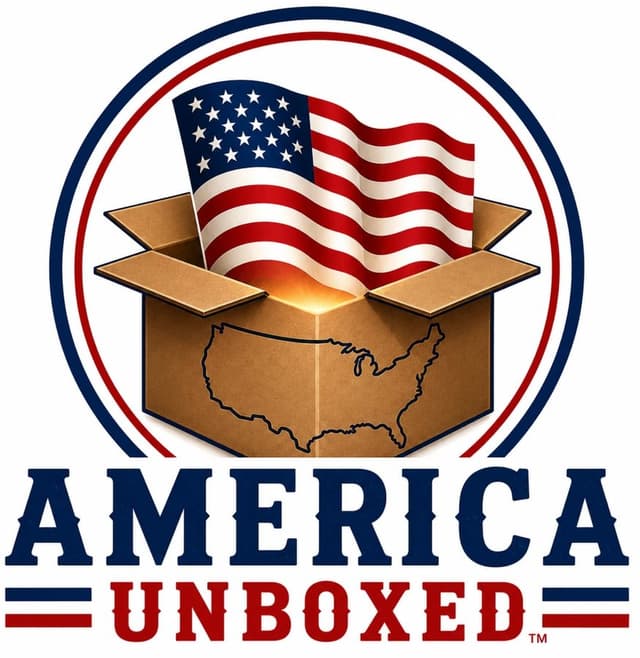
AI Generated
Textured, not scalable
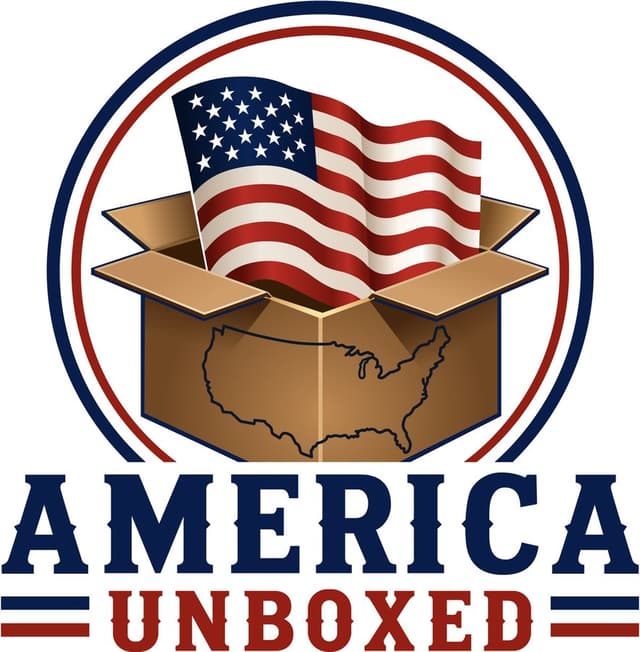
VectorGurus
Professionally Redrawn
Vector Version
The AI original bakes in painterly texture, soft dimensional shading, and a glow inside the box. Our designer rebuilt every element as clean flat paths a printer can actually reproduce. See seven real AI logo conversions from this series.
Everything you need to use your Midjourney logo professionally.
SVG, AI, EPS, PDF + transparent PNG. Every format included.
Not perfect? We adjust until you're completely satisfied.
Most Midjourney logos delivered within 24 hours.
We remove MJ noise and create clean, crisp paths.
Not happy? We make it right or refund you.
Chat directly with your designer. No middlemen.
Pick as many as you like, it all comes back as one simple quote.
1 service selected
No. Midjourney only outputs raster images (PNG, JPG, WebP). It cannot create true vector files like SVG, AI, or EPS. To get a vector version of your Midjourney logo, you need professional hand-tracing to recreate it as vector paths.
No. There is no SVG export in Midjourney, and no parameter or prompt that produces one. Prompting for "vector style" or "flat vector logo" changes the artistic style of the image, but the download is still a PNG made of pixels. The only way to get real SVG vector output from a Midjourney design is to have it traced into vector paths afterward.
Midjourney bakes gradients, film grain, soft glows, and painterly texture into almost every image. Auto-trace tools try to convert every one of those pixel-level variations into a shape, so you get thousands of tiny broken paths, banded gradients, and fuzzy edges. A human designer instead interprets the design: they rebuild the shapes you actually meant, choose clean colors, and discard the noise.
Midjourney generates images at fixed resolutions (1024x1024 up to 2048x2048). When you scale them beyond their original size for print or signage, they become pixelated. Vector files solve this because they use mathematical curves that scale infinitely.
Upload your Midjourney logo to VectorGurus. Our designers hand-trace it using Adobe Illustrator, recreating every curve, shape, and detail as clean vector paths. You receive SVG, AI, EPS, PDF, and transparent PNG files within 24 hours.
Midjourney often adds subtle textures, noise, and artifacts that look artistic but cause problems in print. When we hand-trace your logo, we clean up these artifacts, smooth rough edges, and create crisp, professional vector paths.
Pricing starts at $50 for simple logos (1-3 colors, clean shapes); complex Midjourney designs with many colors, gradients, or fine details are quoted based on complexity. Upload your logo for an instant quote.
You spent hours perfecting your prompt. Now get a vector file that does it justice.
Starting at $50 · 24-hour delivery · Unlimited revisions
AI Vectorizer — Free Preview
Convert PNG or JPG to SVG instantly with AI
AI Image to Vector
Turn any AI-generated image into clean vector art
ChatGPT Logo to Vector
Hand-traced vector redraws of ChatGPT logos
ChatGPT Brand Kit to Vector
Full brand boards rebuilt as real, editable vector files
Gemini Logo to Vector
Professional redraws of Google Gemini logos
AI Logo to Vector Series
7 real AI logos converted, shown side by side
Vectorize Any Image
Photos, sketches, and artwork rebuilt as vectors
Vectorize Your Logo
Print-ready vector conversion for your logo
Manual Vector Tracing
100% hand-traced, never auto-traced
Logo Editing
Color changes, text edits, and cleanup for vector logos
SVG for Cricut
Cut-ready SVG files for vinyl, HTV, and cardstock