
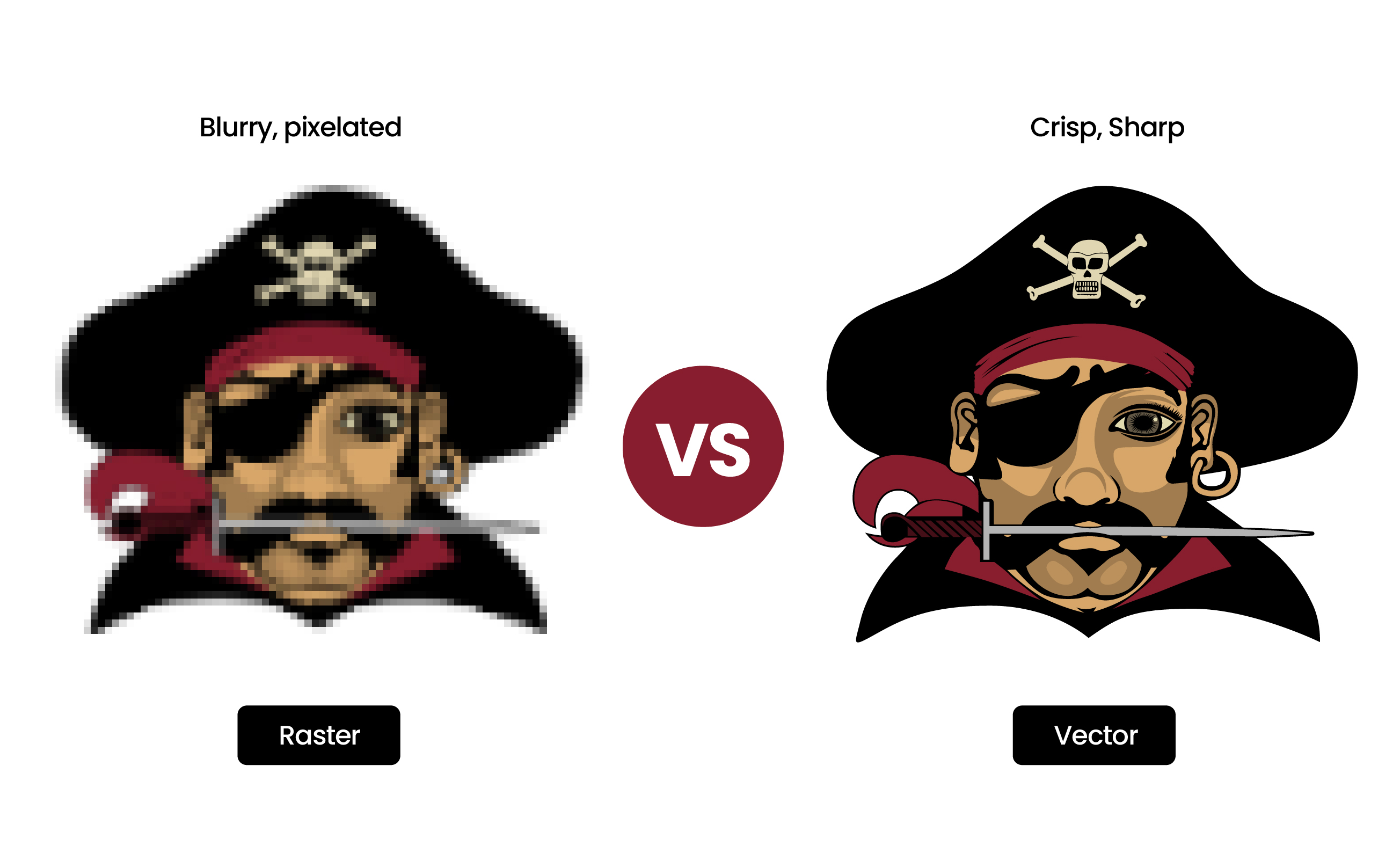
What Are Vector and Raster Images?
The digital image world is divided into two fundamental types: vector and raster. While both can produce stunning visuals, they work in completely different ways and are suited for different purposes.
The difference is easiest to see up close. Both panels below hold the same pirate artwork. Drag the slider: the raster copy dissolves into blocks while the vector doesn't flinch, no matter how far you push it.

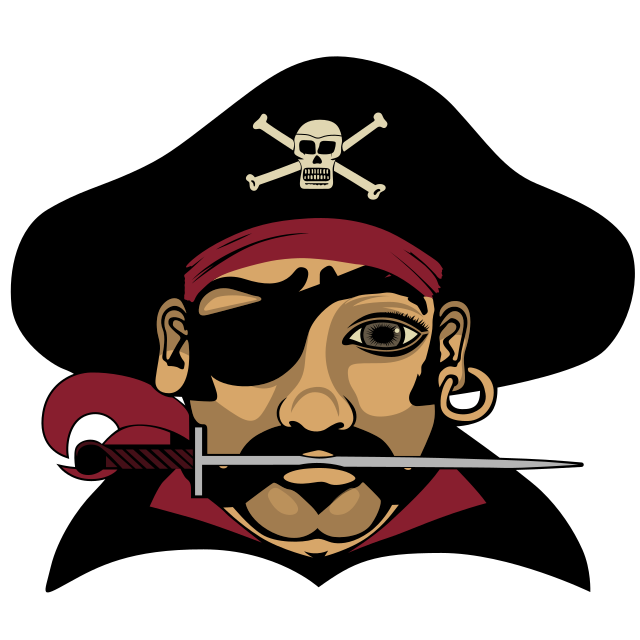
Try it yourself: zoom the artwork
Zoom: 2.0x
Raster Images (Bitmap)
Raster images, also called bitmap images, are composed of a grid of individual pixels. Each pixel contains specific color information. When you zoom in on a raster image, you'll eventually see the individual squares that make up the image.
Common Raster Formats:
| File type | Extension | Best known for |
|---|---|---|
| Joint Photographic Experts Group (JPEG) | .jpg | Photographs and web images |
| Portable Network Graphics (PNG) | .png | Web graphics with transparency |
| Graphics Interchange Format (GIF) | .gif | Simple animations, 256 colors max |
| Tagged Image File Format (TIFF) | .tiff | High-quality professional printing |
| Bitmap Image File (BMP) | .bmp | Uncompressed Windows bitmaps |
| Adobe Photoshop File (PSD) | .psd | Layered photo editing projects |
| WebP | .webp | Modern web format, better compression |
Best Uses for Raster Images:
- Photographs and complex images with gradients
- Digital artwork with intricate details
- Web graphics at specific sizes
- Social media content
- Photo editing and manipulation
Vector Images
Vector images use mathematical equations to create points, lines, curves, and shapes. Instead of pixels, they're made of paths. This means they can be scaled infinitely without any loss of quality - they'll look crisp at any size.
Common Vector Formats:
| File type | Extension | Best known for |
|---|---|---|
| Scalable Vector Graphics (SVG) | .svg | Web graphics and icons |
| Adobe Illustrator File (AI) | .ai | Industry-standard design masters |
| Encapsulated PostScript (EPS) | .eps | Universal print and cut format |
| Portable Document Format (PDF) | Vector when exported from vector software | |
| Drawing Exchange Format (DXF) | .dxf | CAD, engraving, and CNC work |
| Enhanced MetaFile (EMF) | .emf | Windows and Office vector graphics |
Best Uses for Vector Images:
- Logos and brand identities
- Icons and illustrations
- Print materials (business cards, billboards, signage)
- Typography and text-based designs
- Technical drawings and diagrams
- Anything that needs to be resized frequently
Vector vs Raster: Direct Comparison
| Feature | Vector Images | Raster Images |
|---|---|---|
| Composition | Mathematical paths and shapes | Grid of colored pixels |
| Scalability | Infinite - no quality loss | Limited - becomes pixelated |
| File Size | Usually smaller | Varies (can be large) |
| Best For | Logos, illustrations, print | Photos, complex images |
| Editing | Easy to modify shapes/colors | Pixel-level manipulation |
| Resolution | Resolution independent | Resolution dependent (DPI/PPI) |
| Common Software | Adobe Illustrator, Inkscape | Adobe Photoshop, GIMP |
When Should You Use Each Format?
Use Vector When:
- You need to print at any size (from business card to billboard)
- The design will be scaled frequently
- You're creating logos or brand identities
- Working with simple illustrations or icons
- You need crisp, clean lines at any resolution
Use Raster When:
- Working with photographs
- Creating complex digital art with gradients and textures
- The image will only be used at one specific size
- You need pixel-perfect control for web design
- Sharing on social media or web only
Why Convert Raster Images to Vector?
Many businesses and designers need to convert their existing raster logos and graphics to vector format. You can try our free AI vectorizer for quick conversions, or get professional hand-traced results for complex artwork. Here's why conversion matters:
- 1
Scalability for Print
Your logo needs to look perfect on everything from a business card (2 inches) to a trade show banner (20 feet). Only vectors can do this without quality loss.
- 2
Professional Requirements
Most printers, sign makers, and embroiderers require vector files. They won't accept low-resolution JPGs or PNGs for production work.
- 3
Easy Editing
Vector files allow you to easily change colors, resize elements, and modify your design without starting from scratch.
- 4
Future-Proofing
As display resolutions increase (4K, 8K), vector graphics remain crisp while raster images may look outdated or pixelated.
- 5
Smaller File Sizes
Vector logos are typically much smaller in file size than high-resolution raster equivalents, making them faster to load and easier to share.
Professional Vector Conversion Services
While there are free auto-trace tools available, professional hand-traced vector conversion produces significantly better results. Here's why VectorGurus stands out:
Auto-Trace Tools
- ❌ Messy, excessive anchor points
- ❌ Jagged edges and curves
- ❌ Difficult to edit afterward
- ❌ Poor quality for professional use
- ❌ No customization options
- ❌ No human review or quality control
VectorGurus Hand-Tracing
- ✅ Clean, optimized anchor points
- ✅ Smooth, perfect curves
- ✅ Fully editable and customizable
- ✅ Professional print-ready quality
- ✅ Custom color matching
- ✅ Unlimited revisions until perfect
Frequently Asked Questions
What is the difference between vector and raster images?
Vector images are made of mathematical paths and can scale infinitely without losing quality. Raster images are made of pixels and lose quality when enlarged. Vector formats include SVG, AI, and EPS, while raster formats include JPG, PNG, and GIF.
When should I use vector images?
Use vector images for logos, icons, illustrations, text-based designs, and anything that needs to be printed or scaled to different sizes. Vector formats are essential for professional printing, signage, embroidery, engraving, and vinyl cutting.
How do you know if an image is a vector?
Check the file extension first: SVG, AI, and EPS are vector formats, while JPG, PNG, and GIF are raster. If you are still unsure, zoom in or scale the image up. A vector stays perfectly crisp at any size, while a raster image breaks down into visible pixel blocks as you enlarge it.
Is a PDF a vector or raster file?
It can be either. A PDF exported from vector software like Adobe Illustrator keeps its vector data and scales cleanly. A PDF saved from Photoshop or a scanner is a raster image inside a PDF wrapper. Zoom in to check: sharp edges at high zoom mean vector, blurry or pixelated edges mean raster.
Can you turn a JPEG into a vector file?
Yes. Automatic tools like Adobe Illustrator’s Image Trace or an AI vectorizer can convert a JPEG in seconds, though complex artwork usually needs cleanup afterward. For print-ready results, professional hand tracing services like VectorGurus redraw the image path by path, producing clean, fully editable vector files.
Is Photoshop vector-based?
No, Adobe Photoshop is a raster-based program built around pixels, which is why it excels at photo editing. It can place vector files as smart objects, but it does not create true vector artwork.
Is Illustrator raster or vector?
Adobe Illustrator is vector-based. It is the industry-standard tool for creating logos, icons, and scalable artwork, and its native AI format preserves full vector data.
What file formats are vector files?
Common vector file formats include SVG (Scalable Vector Graphics), AI (Adobe Illustrator), EPS (Encapsulated PostScript), and PDF (when created from vector software). These formats preserve the mathematical data that allows infinite scaling.
Why do print shops require vector files?
Print shops require vector files because they can be scaled to any size without quality loss, provide clean edges for precise cutting, allow easy color separation, and ensure consistent results across different print sizes. Raster files often appear pixelated or blurry when enlarged for large-format printing.
Can you convert raster images to vector?
Yes, raster images can be converted to vector format through a process called vectorization or tracing. Professional services like VectorGurus offer hand-traced vectorization that produces high-quality, clean vector files from photos, logos, or scanned artwork.
Conclusion
Understanding the difference between vector and raster images is essential for making the right choice for your projects. While both have their place in design, vectors are indispensable for logos, branding, and any application requiring scalability.
If you have a raster logo or graphic that needs to be converted to vector format, professional hand-tracing services like VectorGurus ensure you get the highest quality results. Don't settle for the messy output of free auto-trace tools - invest in professional vectorization that will serve your brand for years to come.