Your image is stuck as pixels. It blurs when you scale it. Print shops reject it. Cutting machines can't read it.
We hand-trace your image into a clean, layered, infinitely scalable vector file ready for any production use.
Starting at $25 · 24-hour delivery · Unlimited revisions

AI Generated
Textured, not scalable
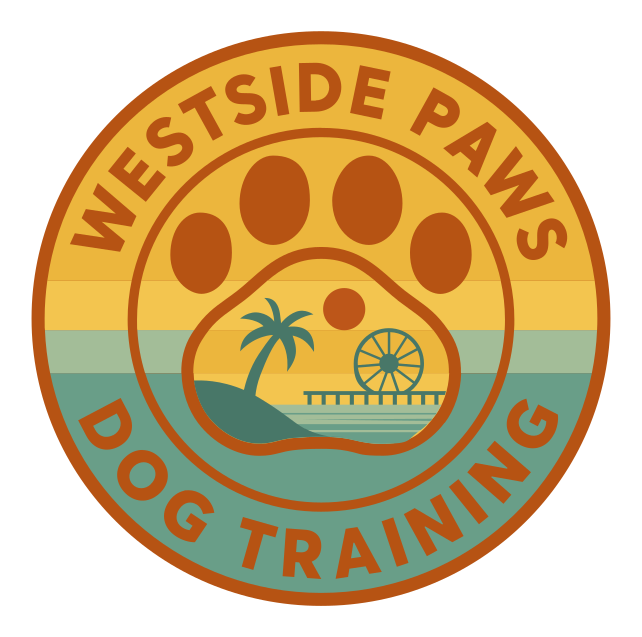
VectorGurus
Professionally Redrawn
Primary Version(1/6)
JPG, PNG, and other raster formats are made of pixels. They work fine on screen at their original size. But the moment you need to scale, print, cut, or engrave...
The gap between your image and professional production is a vector file. That's exactly what we create. Not auto traced, but hand drawn by experienced designers.
Logos, illustrations, artwork, graphics — if it has shapes and colors, we can vectorize it.
Company logos, wordmarks, brand assets
Digital art, drawings, characters
Sketches, doodles, pen & ink work
App icons, badges, emblems
Custom lettering, text designs
Repeating designs, surface patterns
Brand mascots, cartoon figures
Diagrams, schematics, plans
Have something unusual? If you can see distinct shapes and colors, we can convert it. Upload your image for a free assessment.
Free online converters and auto-trace tools promise quick results. Here's what they actually deliver.
Auto trace creates thousands of anchor points for simple shapes. A circle that should have 4 points ends up with 400. Files become bloated and uneditable.
What should be smooth curves become choppy approximations. The edges look fine at screen size but fall apart when printed, cut, or engraved.
Every compression artifact, every fuzzy edge, every color band gets traced into the vector as a real shape. Your clean image becomes a mess.
Auto trace dumps everything into one tangled mess. You cannot select individual elements, change colors, or make edits without rebuilding from scratch.
Bottom line: Auto trace creates a technically vector file that's just as unusable as the original raster. Professional hand tracing is the only way to get a truly production-ready vector.
Our professional designers rebuild your image from scratch. Not auto-traced, not filtered, not “enhanced.” Rebuilt.
Send us your image in any format: JPG, PNG, scan, screenshot, or whatever you have. The highest resolution you can find helps, but we work with whatever you have.
Your assigned designer examines your image in detail: identifying colors to match, shapes to perfect, and any artifacts to remove. We plan the cleanest possible vector reconstruction.
Using the Pen tool, your designer places every anchor point by hand. Each curve is shaped with Bezier handles for mathematical perfection. Compression artifacts are eliminated. Colors are separated onto clean layers.
We match every color to your original image (or improve it if requested). Each color, shape, and element gets its own labeled layer. The file is organized for easy editing in any design application.
You receive a high-resolution preview for approval. Request unlimited revisions; we adjust until it's perfect. Final delivery includes SVG, AI, EPS, PDF, DXF, and a transparent PNG.
A vector file unlocks every professional production method. Your image works everywhere.
Business cards to billboards. Vector files scale infinitely without losing quality.
Screen printing, DTG, heat transfer, and embroidery all require vector files.
Trade show graphics, storefront signs, banners, and vehicle wraps.
Vinyl cutters, laser engravers, CNC routers — all need vector paths.
SVG files load fast, look sharp on retina displays, and scale to any screen.
Product packaging, sticker printing, and retail displays.
Everything you need to use your image professionally, included with every order.
SVG, AI, EPS, PDF, DXF + transparent PNG. Every format, no extra charge.
Not perfect? We adjust until you're completely satisfied. No limits, no fees.
Most images delivered within 24 hours. Rush available for urgent projects.
Every color and element on labeled layers. Easy to edit in Illustrator, Inkscape, or Figma.
If you're not happy, we make it right or refund your payment. Zero risk.
Communicate directly with the designer handling your project. No middlemen.
No subscriptions. No hidden fees. Pay per image with all formats and unlimited revisions included.
Simple Image
$25
1-3 colors, clean shapes
Detailed Image
$45
4-6 colors, moderate detail
Complex Image
$65
Many colors, gradients, detail
Highly Complex
$100
Illustrations, fine detail
Not sure? Upload your image and get an instant quote.
Get an Instant Quote1 service selected
Vector files scale from favicon to billboard without losing a single detail. Zoom in. The edges stay razor-sharp.

Everything you need to know about converting images to vector format.
No. This is 100% manual, professional vector tracing. A human designer redraws your image from scratch using the Pen tool in Adobe Illustrator. Every anchor point is placed by hand, every curve is shaped deliberately, and the file goes through multiple levels of quality assurance before delivery. We also offer a separate AI Vectorizer tool at vectorgurus.com/studio that uses our proprietary machine learning model — it is much cheaper and works well for images that are already clean and simple. But for artwork that needs to be perfect, production-ready, and professionally organized, this manual service is the right choice.
Raster images (JPG, PNG, BMP) are made of pixels that blur when scaled. Vector files (SVG, AI, EPS) use mathematical paths that scale infinitely without quality loss. Print shops, sign makers, embroidery services, cutting machines, and manufacturers require vector files. Converting your image to vector unlocks professional production capabilities.
We convert any image type: logos, illustrations, artwork, sketches, hand-drawn designs, photographs (stylized), graphics, icons, badges, emblems, mascots, typography, patterns, and more. If it has distinct shapes and colors that can be represented as paths, we can vectorize it. Complex photographic images may require stylization.
Auto-tracing tools create approximated paths with hundreds of unnecessary anchor points, jagged edges, color banding, and messy geometry. The result looks passable on screen but fails in production. Text becomes illegible, curves are bumpy, and the file is essentially unusable for printing, cutting, or engraving. Professional hand-tracing rebuilds your image with clean paths, proper geometry, and organized layers.
Every order includes all major vector formats at no extra charge: SVG (for web and digital), AI (Adobe Illustrator, fully editable with layers), EPS (universal print format), PDF (vector PDF for sharing), and DXF (for CNC, laser cutting, and engraving). You also receive a high-resolution transparent PNG.
Most conversions are completed within 24 hours. Simple images with few colors may be done in 12 hours. Complex images with many colors, gradients, or fine details may take up to 48 hours. You receive a preview for approval before final files are delivered. Rush delivery is available for urgent projects.
Pricing starts at $25 for simple images (1-3 colors, clean shapes) and ranges up to $100 for highly complex artwork with gradients, fine details, or many colors. Every order includes unlimited revisions and all vector file formats. Upload your image for an instant quote.
Yes. Our designers faithfully recreate your image with precise color matching and shape accuracy. In many cases, the vector version looks better because we clean up compression artifacts, smooth rough edges, and fix imperfections. You approve a preview before we finalize, and revisions are unlimited.
Absolutely. That is the entire point of vector conversion. You can open the AI or SVG file in Adobe Illustrator, Inkscape, CorelDRAW, Affinity Designer, or Figma and change colors, resize elements, rearrange layers, and adapt the image for any use case. Every element is on organized, labeled layers for easy editing.
We work with whatever you have. Low-resolution JPGs, pixelated PNGs, scanned prints, even photos of physical artwork. Our designers interpret the original intent and recreate a clean, sharp vector. If details are unclear, we will ask for clarification or provide options.
Once vectorized, your image works everywhere: printing (any size), merchandise (t-shirts, hats, mugs), embroidery, screen printing, laser engraving, CNC cutting, vinyl cutting, signage, vehicle wraps, websites, apps, packaging, stickers, and any other application that requires scalable, production-ready artwork.
Stop getting rejected by print shops. Stop watching your image blur when you scale it. Get a professional vector file that works everywhere.